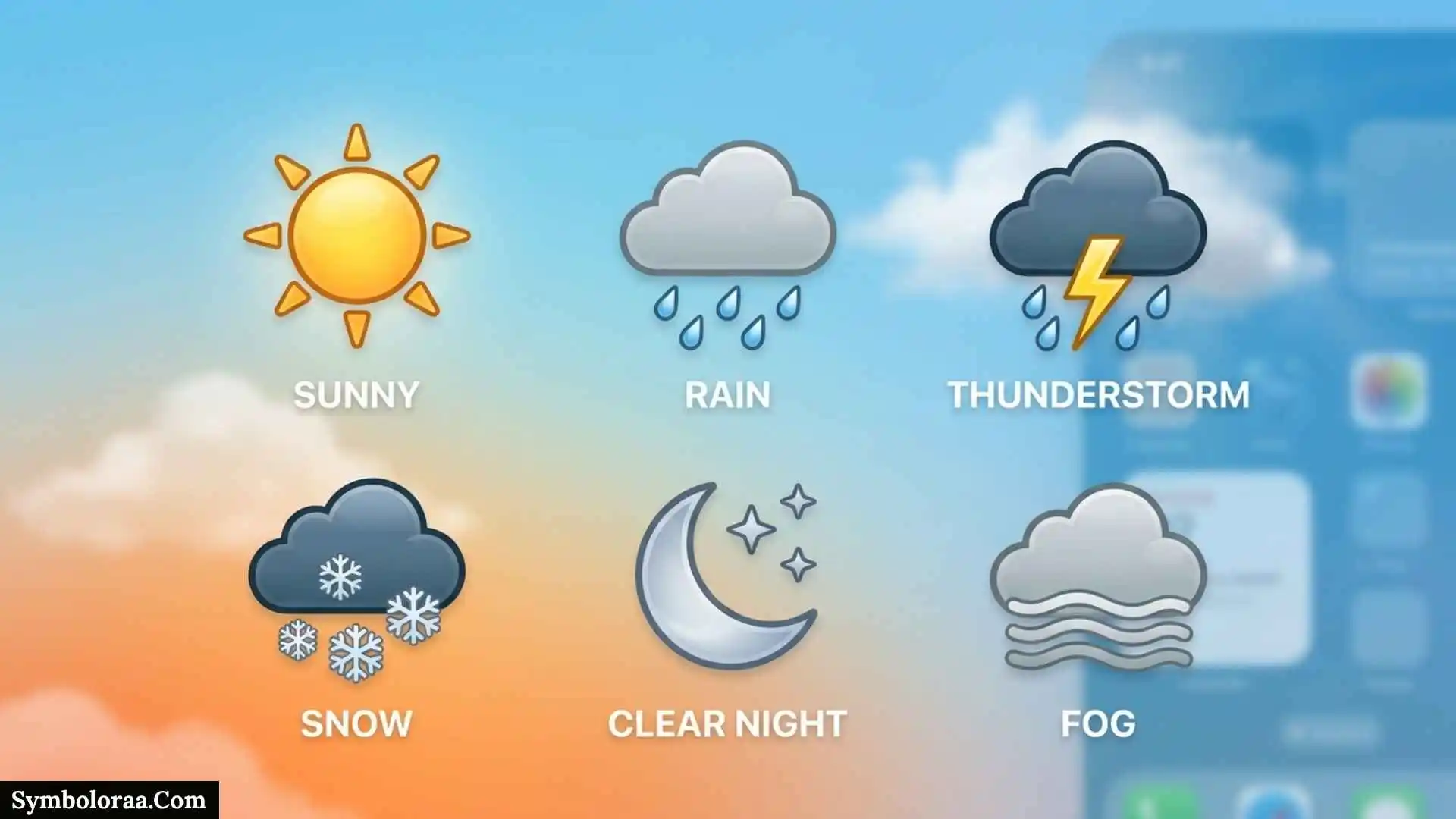
If you are searching for iPhone weather symbols, you probably want a simple answer: what does each icon mean, and how can you tell whether your iPhone is showing sun, clouds, rain, snow, fog, wind, or a storm?
Apple’s Weather app uses icons to represent different weather conditions, including clear skies, partly cloudy weather, haze, fog, wind, clouds, thunderstorms, rain, heavy rain, drizzle, snow, heavy snow or blizzards, freezing rain, sleet, wintry mix, and nighttime conditions. Apple also uses separate symbols for sunrise and sunset.
This guide explains the iPhone weather symbols and their meanings, shows how similar icons differ, explains what the symbols do and do not tell you, and gives you a practical way to read the Weather app more accurately.
Quick Answer: What Do Iphone Weather Symbols Mean?
Here is a quick reference before going into the details.
| Weather symbol | Meaning | What it generally indicates |
| Sun | Clear / mostly clear | Little or limited cloud cover |
| Sun with cloud | Partly cloudy | A mixture of sunshine and clouds |
| Cloud | Cloudy | Predominantly cloudy conditions |
| Haze | Haze | Reduced atmospheric clarity |
| Fog | Fog | Foggy conditions and potentially reduced visibility |
| Wind lines | Windy / breezy | Wind is the main condition |
| Cloud with rain | Rain | Rain is expected or occurring |
| Heavy rain symbol | Heavy rain | More intense rainfall |
| Light precipitation | Drizzle / freezing drizzle | Light precipitation |
| Cloud with lightning | Thunderstorm | Thunderstorm conditions |
| Snowflake | Snow | Snow is expected or occurring |
| Heavy snow / blizzard symbol | Heavy snow / blizzard | More severe snow conditions |
| Winter precipitation symbol | Freezing rain / sleet / wintry mix | Mixed winter precipitation |
| Moon | Clear / mostly clear at night | Clear nighttime conditions |
| Moon with cloud | Partly cloudy at night | Clouds during nighttime |
| Night precipitation | Drizzle at night | Nighttime drizzle |
| Sunrise | Sunrise | Sun is rising |
| Sunset | Sunset | Sun is setting |
These categories come from Apple’s official iPhone Weather icon documentation.
Important: The icon is a summary of a weather condition. It does not replace the detailed forecast, temperature, precipitation information, wind data, visibility, or severe-weather alerts.
Also Check This Post: 73+ Louis Vuitton Symbols: The History Behind the Famous Icons
What Are Iphone Weather Symbols?
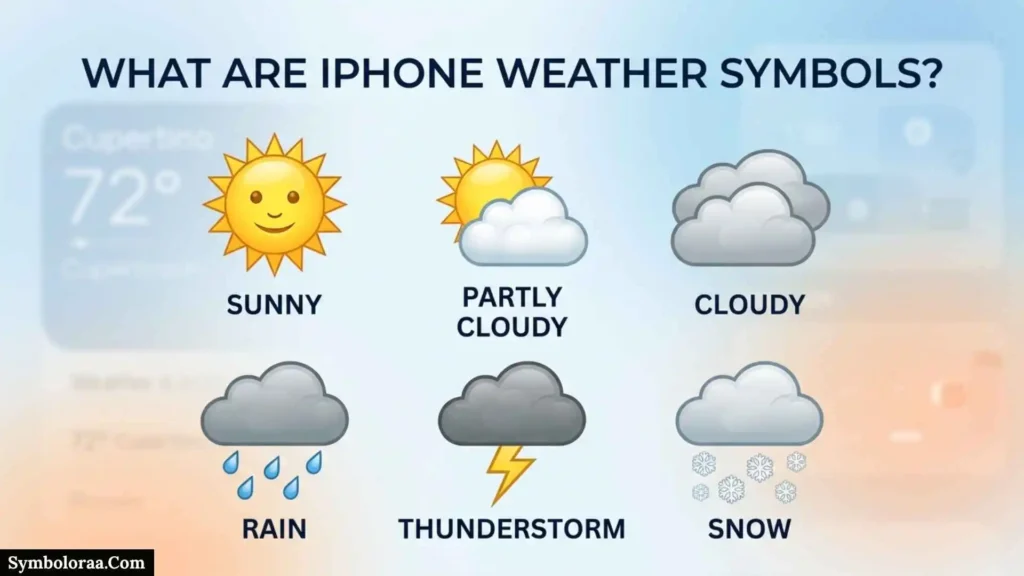
iPhone weather symbols are visual icons used by Apple’s Weather app to communicate weather conditions quickly.
Instead of reading a sentence such as “partly cloudy with a chance of rain,” you can often understand the general condition from the icon immediately.
For example:
- A sun indicates clear or mostly clear conditions.
- A sun and cloud indicates partly cloudy conditions.
- A cloud indicates cloudy conditions.
- A cloud with rain indicates rain.
- A lightning symbol indicates a thunderstorm.
- A snow symbol indicates snow.
- A moon-based icon indicates certain nighttime conditions.
Apple separates several similar conditions instead of treating all clouds, rain, or winter weather as one category.
Why the Symbols Matter
The icons are useful because weather information can change from hour to hour.
Someone deciding whether to:
- carry an umbrella,
- wear a jacket,
- go for a walk,
- drive,
- plan an outdoor event,
- go hiking,
- travel,
- or take precautions for severe weather
can use the symbols as a quick first check.
For more important decisions, however, you should look at the detailed information underneath the icon.
Iphone Clear and Cloudy Weather Symbols
The most familiar Weather app icons are the sun and cloud symbols. They look simple, but they represent different conditions.
Sun Symbol: Clear or Mostly Clear
The sun symbol represents clear or mostly clear weather.
This means the forecast condition is primarily clear rather than dominated by clouds or precipitation.
A simple example is:
10 AM → Sun icon → Clear / mostly clear
The symbol does not mean the temperature will necessarily be hot. A clear winter morning can also have a sun icon.
So do not use the icon to estimate temperature. Check the temperature separately.
Apple officially lists this condition as Clear / Mostly clear.
Sun and Cloud Symbol: Partly Cloudy
A sun combined with a cloud represents partly cloudy conditions.
This means clouds are present, but the forecast is not completely cloudy.
For example, you might see:
12 PM → Sun + cloud → Partly cloudy
The important distinction is that partly cloudy weather is not the same as fully cloudy weather.
Cloud Symbol: Cloudy
A cloud symbol represents cloudy conditions.
This is one of the most common symbols people misunderstand.
A cloud does not automatically mean rain.
Cloudy and rainy are separate weather categories in Apple’s official icon list.
For example:
Cloud icon → cloudy
does not necessarily mean:
Cloud icon → rain is coming.
If precipitation is expected, the Weather app can show a rain-related symbol instead.
Iphone Rain Symbols and Their Differences
Apple distinguishes between several precipitation conditions. Understanding these differences is more useful than simply knowing that “the icon means rain.”
Rain Symbol
The standard rain symbol indicates rain.
If you see it beside an hourly forecast, rain is the forecast condition for that period.
For example:
| Time | Forecast |
| 9 AM | Cloudy |
| 10 AM | Rain |
| 11 AM | Rain |
| 12 PM | Rain |
| 1 PM | Partly cloudy |
This example shows why the hourly forecast matters. A rain symbol at one time does not necessarily mean it will rain for the entire day.
Apple provides an hourly forecast that can be viewed by swiping through the hourly display.
Heavy Rain Symbol
Apple also provides a separate symbol for heavy rain.
This indicates a more intense rainfall condition than the ordinary rain category.
However, you should not try to calculate an exact rainfall amount by looking at the picture.
If rainfall amount matters, use the precipitation information available in the Weather app.
Drizzle and Freezing Drizzle Symbol
Apple lists Drizzle / Freezing drizzle as another weather category.
Drizzle involves very small droplets and is generally lighter than ordinary rain.
Freezing drizzle is different because the droplets can freeze when they contact cold surfaces.
This distinction can matter for driving and walking because freezing precipitation may create slippery surfaces even when rainfall appears light.
Thunderstorm Symbol on iPhone
The cloud and lightning symbol represents a thunderstorm.
This is not simply another version of the rain icon.
A thunderstorm can involve:
- Lightning
- Thunder
- Rain
- Strong or gusty winds
- Potentially hazardous conditions
Apple lists Thunderstorm separately from rain and heavy rain.
Thunderstorm vs. Heavy Rain
| Weather category | Main message |
| Rain | Rain is expected |
| Heavy rain | More intense rain |
| Thunderstorm | Thunderstorm conditions |
| Windy / breezy | Wind is a primary condition |
A thunderstorm may produce heavy rain, but the thunderstorm icon communicates a broader weather condition.
If your iPhone shows a severe-weather alert as well, read that alert instead of relying only on the icon.
iPhone Snow and Winter Weather Symbols
Apple also separates ordinary snow from more severe winter conditions.
Snow Symbol
The snow symbol indicates snow.
If it appears in an hourly or daily forecast, snow is the relevant forecast condition for that period.
The icon alone does not tell you exactly how much snow will accumulate.
For that, look at the detailed forecast and any available weather alerts.
Heavy Snow or Blizzard Symbol
Apple lists Heavy snow / Blizzard as a separate category.
This is important because ordinary snow and blizzard conditions should not be treated as equivalent.
If a forecast includes heavy snow or a blizzard, check the detailed weather information before traveling or planning outdoor activities.
Freezing Rain, Sleet, and Wintry Mix
Another category covers freezing rain / sleet / wintry mix.
These forms of winter precipitation can be easy to confuse.
The practical takeaway is simple:
Do not automatically interpret a mixed winter precipitation icon as ordinary rain or ordinary snow.
When roads and sidewalks may freeze, the detailed forecast and warnings are more important than the symbol alone.
Fog and Haze Symbols on iPhone
Fog and haze can both make the atmosphere look unclear, but Apple treats them as separate weather conditions.
Fog Symbol
The fog symbol indicates fog.
Fog can significantly reduce visibility, which makes this icon particularly relevant for people who are driving or traveling.
If the Weather app indicates fog, do not assume that a lack of rain means conditions are automatically good for driving.
Apple includes Fog as a distinct Weather app icon category.
Haze Symbol
The haze symbol indicates haze.
Haze can make the atmosphere appear cloudy or less clear.
Apple lists Haze separately from fog, so the two symbols should not be treated as identical.
Fog vs. Haze
| Condition | Basic idea | Why it matters |
| Fog | Foggy air near the surface | Can reduce visibility |
| Haze | Reduced atmospheric clarity | Can make distant objects look less clear |
| Cloudy | Clouds cover much of the sky | Does not necessarily mean poor visibility |
The key point is that a gray-looking sky does not automatically mean rain.
Wind and Breezy Weather Symbol
The windy or breezy symbol represents Windy / Breezy conditions. Apple lists this separately from ordinary cloudy or rainy weather.
The symbol gives you a quick description, but it does not provide the exact wind speed.
For exact wind information, open the detailed Weather view.
Apple’s Weather app can show wind information along with other details such as temperature, precipitation, visibility, and UV index.
Does the Wind Icon Tell You Wind Speed?
No.
The icon communicates the general condition.
For example:
Wind symbol → windy/breezy
It does not mean:
Wind symbol → exactly 30 km/h.
Use the detailed wind information when the strength or direction of the wind matters.
Apple allows weather units such as miles per hour, kilometers per hour, knots, and Beaufort for wind information.
iPhone Night Weather Symbols
Some Weather app symbols change for nighttime conditions.
Instead of a sun, you may see a moon-based icon.
Apple lists separate nighttime categories including:
- Clear / mostly clear at night
- Partly cloudy at night
- Drizzle at night
Moon Symbol: Clear or Mostly Clear at Night
A moon-based clear-weather icon represents clear or mostly clear nighttime conditions.
It is essentially the nighttime counterpart to the daytime clear-weather category.
Moon and Cloud: Partly Cloudy at Night
A moon combined with cloud indicates partly cloudy conditions at night.
This means clouds are expected, but the forecast is not completely overcast.
Nighttime Drizzle
Apple also lists a specific drizzle at night category.
This is a useful reminder that nighttime symbols are not simply decorative. They can communicate different weather conditions.
Sunrise and Sunset Symbols
Apple’s Weather icon guide also includes sunrise and sunset symbols.
These symbols are different from weather-condition icons.
Sunrise Symbol
The sunrise symbol indicates the expected sunrise time.
This can be useful when planning:
- Early-morning photography
- Running
- Hiking
- Fishing
- Travel
- Outdoor work
Sunset Symbol
The sunset symbol indicates the expected sunset time.
It can help with:
- Photography
- Outdoor events
- Hiking
- Travel planning
- Evening activities
The symbol tells you about a solar event, not whether the weather itself is sunny.
That distinction is easy to miss.
Complete iPhone Weather Symbols Comparison
The following table provides a more detailed reference.
| Symbol type | Weather condition | Does it necessarily mean precipitation? |
| Sun | Clear / mostly clear | No |
| Sun + cloud | Partly cloudy | No |
| Cloud | Cloudy | No |
| Haze | Haze | No |
| Fog | Fog | No |
| Wind lines | Windy / breezy | No |
| Rain | Rain | Yes |
| Heavy rain | Heavy rain | Yes |
| Light precipitation | Drizzle / freezing drizzle | Yes |
| Lightning | Thunderstorm | Often, but the symbol primarily identifies a storm |
| Snow | Snow | Yes |
| Heavy snow | Heavy snow / blizzard | Yes |
| Mixed winter precipitation | Freezing rain / sleet / wintry mix | Yes |
| Moon | Clear / mostly clear at night | No |
| Moon + cloud | Partly cloudy at night | No |
| Night drizzle | Drizzle at night | Yes |
| Sunrise | Sunrise | Not a weather condition |
| Sunset | Sunset | Not a weather condition |
Apple’s official icon list supports these categories.
Why iPhone Weather Symbols Change Throughout the Day
Weather conditions are not fixed.
The Weather app can show different conditions at different times.
For example:
| Time | Icon meaning |
| 8 AM | Clear |
| 10 AM | Partly cloudy |
| 12 PM | Cloudy |
| 2 PM | Rain |
| 4 PM | Thunderstorm |
| 7 PM | Partly cloudy at night |
This does not mean the iPhone is changing its mind. It means the forecast changes with time.
Apple’s Weather app provides an hourly forecast, and you can swipe through the hourly display to view different periods.
Why the Hourly Forecast Is More Useful Than One Icon
If you are deciding whether to carry an umbrella, the question is usually not:
“Will it rain today?”
The better question is:
“When is rain expected?”
For example, if rain is forecast from 3 PM to 5 PM but your outdoor activity ends at 2 PM, the practical decision may be different.
That is why the hourly forecast should be used alongside the main weather icon.
Also Check This Post: 67+ Symbols of Jesus: Powerful Christian Symbols Explained
What the Weather Icon Does Not Tell You
A common mistake is expecting one symbol to provide every important weather detail.
A weather icon does not necessarily tell you:
- Exact temperature
- Exact rainfall amount
- Exact wind speed
- Exact duration of rain
- Exact visibility
- Whether every part of a city will receive the same weather
- Whether a weather condition will remain unchanged all day
Apple’s Weather app provides additional details such as precipitation, high and low temperatures, severe weather information, air quality, UV index, wind, visibility, moon phases, and more. Availability varies by location.
Icon vs. Detailed Forecast
Think of the icon as a headline.
Think of the detailed forecast as the full story.
For everyday use, the icon may be enough.
For travel, outdoor activities, driving, or severe weather, use the detailed information.
How to Read iPhone Weather Symbols Correctly
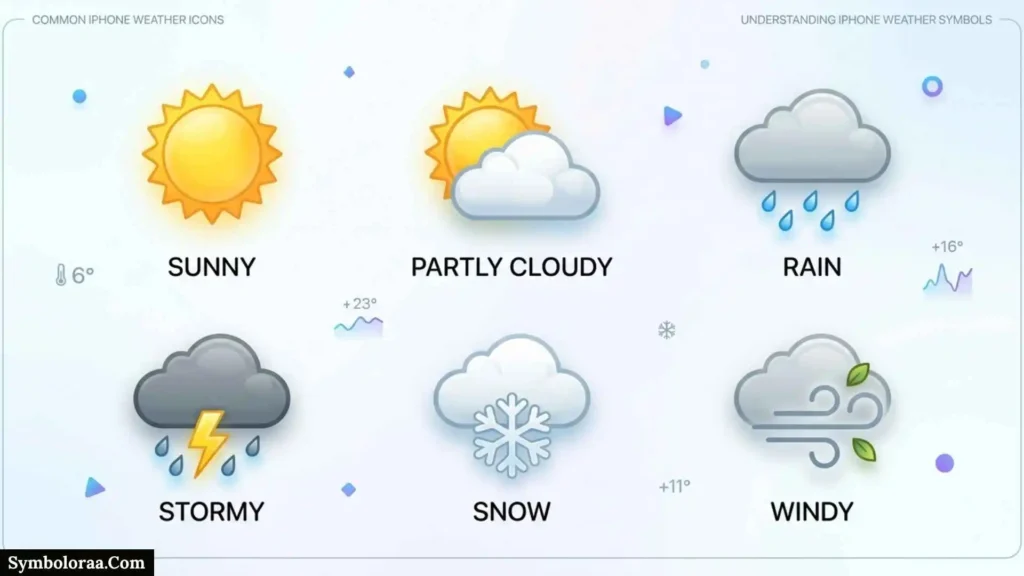
You can use a simple six-step process.
Step 1: Identify the Main Symbol
First ask:
What condition does the icon represent?
Is it clear, cloudy, rainy, snowy, windy, foggy, or stormy?
Step 2: Check the Time
Ask whether the symbol represents:
- Current conditions
- A particular hour
- A daily forecast
- A nighttime period
The same location can have different symbols throughout the day.
Step 3: Check Temperature
The icon does not tell you how hot or cold it is.
Always look at the temperature separately.
Step 4: Check Precipitation
If you are planning something outdoors, look at the precipitation information.
A rain symbol is useful, but precipitation details can give you more context.
Step 5: Check Wind and Visibility
For driving, cycling, boating, hiking, or outdoor work, wind and visibility may be important even when there is no rain.
Step 6: Check Alerts
If the Weather app shows a severe-weather alert, treat that information as more important than the simple icon.
Apple supports weather notifications for precipitation and certain severe weather events, although availability varies by country and region.
A Simple Decision Tree for iPhone Weather Icons
Use this quick guide when you do not recognize an icon:
Is there a sun?
↓
Yes → Clear or mostly clear.
Is there a sun plus a cloud?
↓
Yes → Partly cloudy.
Is there mainly a cloud?
↓
Yes → Cloudy.
Are there rain drops?
↓
Yes → Rain, heavy rain, or drizzle depending on the symbol.
Is there lightning?
↓
Yes → Thunderstorm.
Is there a snow symbol?
↓
Yes → Snow or heavy snow/blizzard depending on the icon.
Are there horizontal-looking atmospheric lines?
↓
Yes → Check whether the icon represents fog, haze, or wind.
Is there a moon?
↓
Yes → It is showing a nighttime weather condition.
This decision tree is useful when you need a quick answer instead of memorizing every Apple icon.
Common Mistakes When Reading iPhone Weather Symbols
Mistake 1: Assuming Every Cloud Means Rain
A cloud symbol represents cloudy weather.
Apple lists cloudy conditions separately from rain.
Mistake 2: Treating Rain and Drizzle as Identical
Apple has separate categories for rain and drizzle/freezing drizzle.
They should not automatically be interpreted as the same intensity or type of precipitation.
Mistake 3: Thinking a Sun Icon Means Hot Weather
A sun icon describes the sky condition.
It does not tell you the temperature.
A sunny day can be cold.
Mistake 4: Assuming One Icon Represents the Entire Day
Hourly conditions can change.
Check the hourly forecast before making weather-sensitive plans.
Mistake 5: Confusing Fog and Haze
Apple treats fog and haze as separate categories.
If you need to understand visibility conditions, do not assume they are interchangeable.
Mistake 6: Ignoring Severe Weather Alerts
An ordinary icon does not provide all the information about dangerous weather.
If a severe-weather alert appears, read the alert itself.
Apple supports severe-weather notifications in supported locations.
Mistake 7: Assuming Every Weather Feature Works Everywhere
Apple says some Weather features, including severe weather information, air quality, next-hour precipitation, and weather-related news, are not available in every country or region.
This means two people using iPhones in different countries may see different weather features.
How to Get More Accurate Weather Information on iPhone
The symbol is only as useful as the forecast behind it.
Apple says the Weather app uses Location Services for the forecast at your current location, and turning on Precise Location can improve forecast accuracy.
Turn On Precise Location for Weather
The general path is:
Settings → Privacy & Security → Location Services → Weather → Precise Location
Apple recommends Precise Location when you want more accurate current-location weather information.
This is especially useful if your weather forecast is for your current location rather than a manually selected city.
Compare Current Conditions With the Hourly Forecast
Do not stop after reading the large weather icon.
Check:
- Current condition
- Temperature
- Hourly forecast
- Precipitation
- Wind
- Visibility
- Severe weather information
This provides a more complete picture.
How iPhone Weather Symbols Work in Apple Maps
Weather information is also available in Apple Maps.
When you zoom in on a map far enough, a weather icon can appear in the upper-left corner. Apple says this icon represents current conditions for that area. In some regions, an air-quality index can also appear.
You can touch and hold the weather icon to access the hourly forecast.
This is useful when you are already planning a destination in Maps.
For example, you might search for a destination, inspect the map, and check the local weather without manually switching to the Weather app.
Can iPhone Weather Symbols Look Different by Region?
Yes.
The basic icon system is Apple-designed, but weather data and certain features vary by country and region.
Apple’s current availability documentation says that some Weather features are region-dependent. For example, severe weather information comes from different data sources depending on the location, while next-hour precipitation is available only in certain countries and regions.
This explains why screenshots from another country may show information that you do not see on your own iPhone.
Why Location Matters
The weather is local.
A forecast for one city, neighborhood, or saved location may differ from another nearby location.
Apple also allows you to search for and save locations in the Weather app.
If you are traveling, check the actual destination instead of relying only on your current location.
How to Change Temperature and Wind Units
If you prefer Celsius instead of Fahrenheit, or kilometers per hour instead of miles per hour, iPhone lets you customize weather units.
Apple documents support for:
- Celsius
- Fahrenheit
- Miles per hour
- Kilometers per hour
- Knots
- Beaufort
depending on the weather setting and region.
Using familiar units makes the forecast easier to understand and reduces the chance of misreading weather information.
Practical Examples: How to Use the Symbols
Example 1: Planning a Picnic
Suppose the forecast shows:
11 AM → Partly cloudy
12 PM → Partly cloudy
1 PM → Rain
2 PM → Rain
The useful conclusion is not simply “the day is rainy.”
Instead, you know that the picnic may be possible before the expected rainfall, but the plan should account for the afternoon change.
Example 2: Morning Drive in Fog
Suppose the temperature is comfortable and there is no rain, but the Weather app shows a fog symbol.
The lack of rain does not mean visibility is good.
For driving, the fog condition may be more important than whether precipitation is expected.
Example 3: Winter Travel
Suppose the forecast shows a freezing rain, sleet, or wintry-mix category.
Do not treat it as ordinary rain.
Check the detailed forecast and local warnings because winter precipitation can create different travel conditions.
Example 4: Outdoor Photography
Suppose you are planning a sunset photo shoot.
You should check both:
- The sunset information
- The weather forecast
A sunset icon tells you when the sun is expected to set. It does not guarantee clear skies.
That is a good example of why weather symbols should be interpreted together rather than individually.
Iphone Weather Symbols Checklist
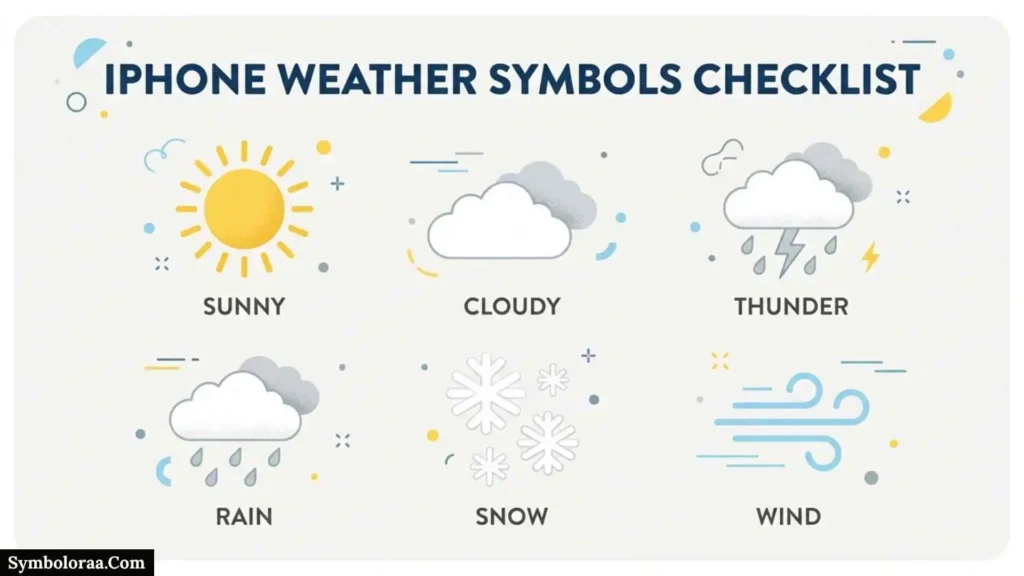
Before making an important outdoor decision, use this checklist:
- Identify the weather icon.
- Check whether it is a daytime or nighttime condition.
- Check the current temperature.
- Check the day’s high and low.
- Review the hourly forecast.
- Check precipitation information.
- Check wind speed and direction.
- Check visibility when relevant.
- Look for severe-weather alerts.
- Check air-quality information if available.
- Confirm that the forecast is for the correct location.
- Consider that weather conditions can change during the day.
This approach gives you more useful information than interpreting one icon in isolation.
Key Takeaways About iPhone Weather Symbols
The most important things to remember are:
- The sun represents clear or mostly clear conditions.
- The sun and cloud represent partly cloudy conditions.
- The cloud represents cloudy conditions and does not automatically mean rain.
- Rain icons represent precipitation, with separate categories for rain, heavy rain, and drizzle.
- Lightning represents a thunderstorm.
- Snow icons represent snow, with a separate category for heavy snow or blizzard conditions.
- Freezing rain, sleet, and wintry mix have their own category.
- Fog and haze are separate weather conditions.
- Windy / breezy has its own symbol.
- Moon-based icons represent nighttime conditions.
- Sunrise and sunset symbols show solar events rather than ordinary weather conditions.
- The symbol is a quick summary, not a complete forecast.
- The hourly forecast, precipitation, wind, visibility, and alerts provide additional context.
- Some Apple Weather features depend on your country or region.
Frequently Asked Questions About iPhone Weather Symbols
What does the sun symbol mean on iPhone Weather?
The sun symbol represents clear or mostly clear conditions. It describes the sky condition, not the temperature.
What does the sun behind a cloud mean?
The sun-and-cloud icon represents partly cloudy weather. It means clouds are present but the forecast is not completely cloudy.
What does the cloud symbol mean on iPhone Weather?
The cloud symbol means cloudy conditions. It does not automatically mean rain. Apple lists cloudy conditions separately from rain.
What does the lightning icon mean?
The lightning icon represents a thunderstorm. A thunderstorm can include rain and strong winds, so it should not be treated as an ordinary rain symbol.
What does the rain symbol mean?
A rain symbol means rain is the relevant forecast condition. Apple also provides separate categories for heavy rain and drizzle/freezing drizzle.
What does the snowflake symbol mean on iPhone?
It indicates snow. Apple also has a separate category for heavy snow or blizzard conditions.
What does the moon symbol mean in Apple Weather?
A moon-based symbol indicates a nighttime weather condition. Depending on the exact icon, it may represent clear or mostly clear nighttime weather, partly cloudy nighttime weather, or nighttime drizzle.
What does the fog icon mean?
The fog icon indicates foggy conditions. Fog can reduce visibility, so it may be particularly important when driving or traveling.
What is the difference between fog and haze on an iPhone?
Apple lists fog and haze as separate weather conditions. They can both affect how clear the atmosphere appears, but they are not the same category in Apple’s Weather system.
Does a cloud icon mean it will rain?
No. A cloud icon represents cloudy conditions. Rain has its own weather symbol.
Does the weather symbol represent the entire day?
Not necessarily. The Weather app provides an hourly forecast, and conditions can change throughout the day.
Why do my iPhone weather icons change?
They change because the forecasted weather condition can change by hour. For example, a day may progress from clear to cloudy to rainy and then back to partly cloudy.
Can iPhone Weather show severe weather?
Yes, Apple provides severe-weather information and notifications in supported locations. Feature availability depends on the country or region.
Why do I not see the same weather features as someone in another country?
Apple states that some Weather features are not available in all countries or regions. Data sources and feature availability can therefore differ by location.
Can I see weather information in Apple Maps?
Yes. When you zoom in far enough in Maps, a weather icon can appear in the upper-left corner. Touching and holding it can provide access to the hourly forecast.
Can I change Celsius to Fahrenheit on my iPhone?
Yes. Apple supports Celsius and Fahrenheit temperature units. Wind can also be displayed using different units such as miles per hour, kilometers per hour, knots, or Beaufort.
How can I make my current-location weather more accurate?
Apple recommends enabling Precise Location for Weather when you want more accurate current-location weather information. The setting is found under Location Services for the Weather app.
Should I rely only on the weather icon?
No. The icon is best treated as a quick summary. For important plans, also check the hourly forecast, precipitation, temperature, wind, visibility, and any severe-weather alerts.
Conclusion
iPhone weather symbols make Apple’s Weather app easier to understand at a glance, but each icon communicates a specific condition rather than the complete forecast.
The sun means clear or mostly clear weather, the sun and cloud means partly cloudy conditions, clouds mean cloudy weather, rain symbols represent different types of precipitation, lightning represents thunderstorms, snow symbols represent winter precipitation, and moon-based symbols describe nighttime conditions. Apple also distinguishes haze, fog, wind, freezing rain, sleet, and wintry mixes.
The best way to use these symbols is to treat them as a starting point. When weather matters, combine the icon with the hourly forecast, temperature, precipitation information, wind, visibility, and severe-weather alerts.
That approach gives you a much clearer picture of what the weather actually means for your plans
Also Check This Post: 91+ Symbols of Hecate: Important Symbols You Should Know

I’m Ethan Brooks, an American writer passionate about stories that explore modern life, relationships, ambition, and personal growth. I love creating characters who feel real and face challenges readers can recognize. Through my writing, I hope to entertain, inspire, and encourage readers to see everyday experiences from a different perspective.
Three Books:
The City Between Us
After the Last Goodbye
A Different Tomorrow
 Jackson Miller
 Madison Reed